10 Best VPN Services for Privacy and Security in 2026/27
Last updated on
Image: iStock
A virtual private network (VPN) encrypts internet traffic between your device and a VPN server, helping protect your connection on public Wi-Fi and limiting what your internet service provider can see. VPNs can also hide your public IP address from websites and allow you to connect through servers in other countries.
However, not all VPN services offer the same level of privacy, speed, or security. Some prioritize independently audited no-logs policies, while others focus on streaming, unlimited device connections, or affordable subscriptions.
The best VPN services in 2026/27 offer modern encryption protocols, reliable kill switches, DNS leak protection, and transparent privacy practices. Additional features such as tracker blocking, multi-hop connections, and obfuscated servers can provide extra protection depending on your requirements.
This guide compares ten VPN providers based on their privacy features, performance, ease of use, and limitations to help you choose a suitable service.
Key Takeaways
Best Overall VPN: NordVPN combines its NordLynx protocol, independently reviewed no-logs practices, and additional security tools for everyday privacy and performance.
Best for Multiple Devices: Surfshark supports unlimited simultaneous connections, making it suitable for households and users protecting several devices under one subscription.
Best Free VPN: Proton VPN provides unlimited data on its free plan, although server selection, simultaneous connections, and advanced features are restricted.
Best Privacy-Focused VPN: Mullvad uses account numbers instead of conventional usernames and offers straightforward €5 monthly pricing without long-term subscription commitments.
Best VPN for Beginners: ExpressVPN provides easy-to-use applications, its Lightway protocol, and broad device compatibility, although renewal pricing can be relatively expensive.
Top 10 VPN Services Compared
| VPN Service | Best For | Standout Features | Main Limitation |
|---|---|---|---|
| ExpressVPN | Beginners and streaming | Lightway, TrustedServer, split tunneling | Higher renewal costs |
| NordVPN | Overall security and performance | NordLynx, Double VPN, Threat Protection | Advanced features vary by plan |
| Surfshark | Families and multiple devices | Unlimited connections, CleanWeb, MultiHop | Higher monthly pricing |
| CyberGhost | Streaming and travel | Specialized servers, kill switch, NoSpy servers | Fewer advanced privacy tools |
| Proton VPN | Free privacy protection | Unlimited free data, Secure Core, NetShield | Free-plan restrictions |
| Private Internet Access | Advanced customization | WireGuard, adjustable settings, split tunneling | More complex interface |
| VyprVPN | Restricted networks | Chameleon protocol, kill switch | Smaller feature ecosystem |
| Mullvad | Privacy-conscious users | Anonymous account numbers, open-source apps | Limited streaming features |
| Windscribe | Flexible free and paid plans | R.O.B.E.R.T., customizable plans | Free data limits |
| IPVanish | Multiple-device households | Unlimited connections, WireGuard | Fewer specialized privacy features |
The comparison is based on published product capabilities and available independent reviews, not a controlled head-to-head speed test. Features and subscription terms may vary by platform and plan.
1. ExpressVPN: Best for Beginners and Streaming
Best for: Users seeking simple applications, reliable performance, and broad device compatibility.
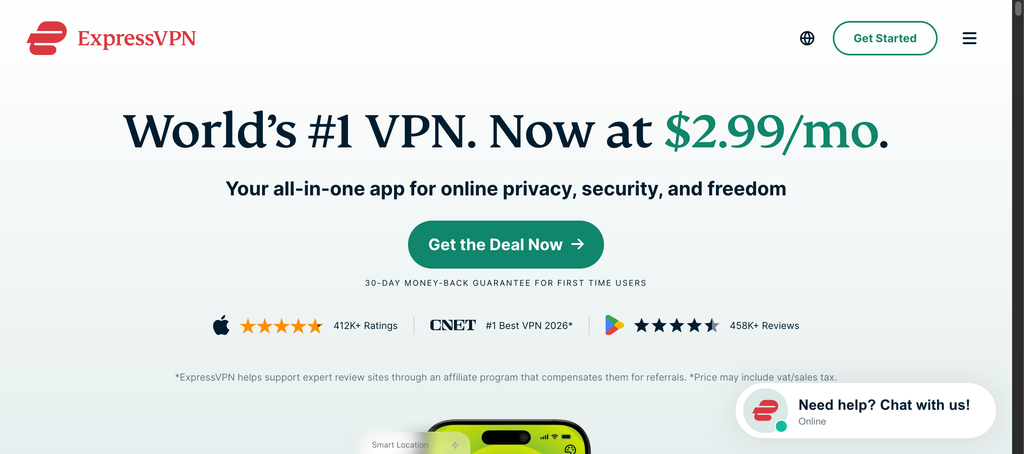
ExpressVPN remains a strong choice for users who want privacy protection without complicated configuration. Its applications are designed for straightforward installation and connection across computers, smartphones, and compatible routers.
One of its distinguishing technologies is Lightway, a VPN protocol developed to establish connections quickly while maintaining strong encryption. ExpressVPN also uses TrustedServer technology, designed to operate its VPN servers without writing data to conventional hard drives.
The provider has expanded its privacy and security features, including tracker blocking, password management options, and post-quantum protections. Its no-logs practices and security infrastructure have also undergone independent assessments.
Key Features
- Lightway protocol for efficient VPN connections.
- TrustedServer RAM-based infrastructure.
- Kill switch and DNS leak protection.
- Split tunneling on supported platforms.
- Applications for major operating systems and compatible routers.
- Independently assessed privacy and security practices.
Pros
- Straightforward setup and intuitive applications.
- Broad device compatibility.
- Good performance for everyday browsing and streaming.
- Strong privacy and security features.
Cons
- Renewal pricing may exceed some competitors.
- No conventional multi-hop VPN feature.
- Certain features and device allowances depend on the subscription tier.
Pricing: ExpressVPN offers several subscription options, with lower effective monthly rates on longer commitments. Check renewal prices and included features before subscribing.
Verdict: ExpressVPN is particularly suitable for beginners who prioritize usability and broad device support over advanced VPN customization.
2. NordVPN: Best Overall VPN for Security and Performance
Best for: Users seeking a balance of connection speed, privacy features, and additional online security tools.
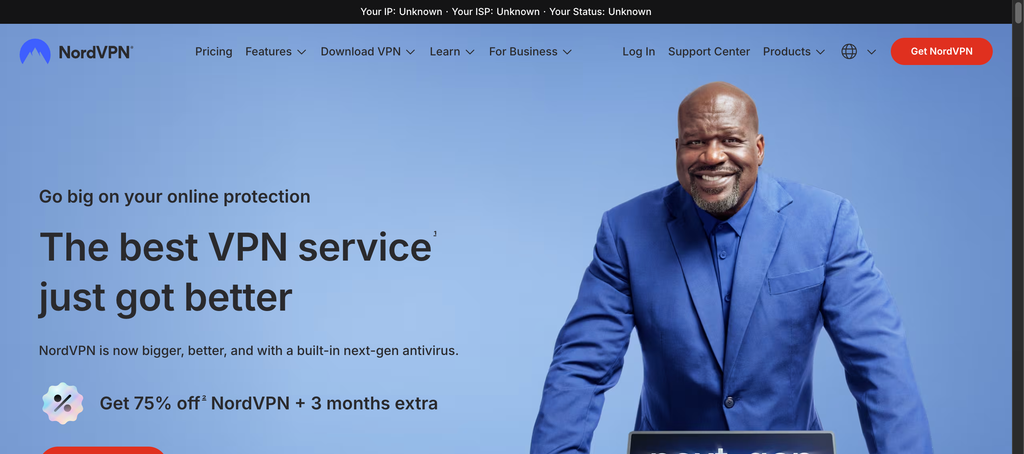
NordVPN combines a large VPN infrastructure with features designed to protect browsing activity and reduce exposure to online threats.
Its NordLynx protocol is based on WireGuard and is designed to deliver efficient connections with modern encryption. The service also provides Double VPN, which routes traffic through two VPN servers, and Onion Over VPN for users who need additional routing options.
NordVPN’s older CyberSec branding has been superseded by its Threat Protection product family. Depending on the plan and device, these tools can block malicious websites, advertising domains, trackers, and potentially harmful downloads.
NordVPN has also subjected its no-logs practices to multiple independent assessments, providing more evidence than a privacy policy alone.
Key Features
- NordLynx protocol based on WireGuard.
- Double VPN and Onion Over VPN.
- Threat Protection security tools.
- Kill switch and DNS leak protection.
- RAM-based server infrastructure.
- Independently reviewed no-logs practices.
Pros
- Strong combination of performance and security.
- Advanced routing and privacy features.
- Extensive server availability.
- Additional protection against malicious websites and trackers.
Cons
- More comprehensive security features may require higher-tier plans.
- Monthly subscriptions can be expensive.
- Double VPN may reduce connection speed because of additional routing.
Pricing: NordVPN offers monthly and longer-term plans, with additional security products included in selected tiers. Promotional rates and renewal prices differ.
Verdict: NordVPN is a strong all-round option for users who want fast VPN connections alongside security features beyond basic traffic encryption.
3. Surfshark: Best VPN for Multiple Devices
Best for: Families, households, and users who want to connect many devices under one subscription.
Surfshark is distinguished by its unlimited simultaneous device connections. This makes it particularly useful for households with multiple smartphones, laptops, tablets, and other compatible devices.
The service supports modern VPN protocols, including WireGuard, and provides CleanWeb to block certain advertisements, trackers, and malicious domains.
Surfshark also offers MultiHop connections, which route traffic through two VPN servers. Its Dynamic MultiHop feature allows greater flexibility in selecting connection routes.
The provider uses RAM-only server infrastructure and has undergone independent assessments of its privacy practices.
Key Features
- Unlimited simultaneous device connections.
- WireGuard and other supported VPN protocols.
- CleanWeb ad and tracker blocking.
- Dynamic MultiHop connections.
- Kill switch and DNS leak protection.
- RAM-only server infrastructure.
Pros
- Suitable for households with numerous devices.
- Competitive long-term subscription offers.
- Useful privacy and security tools.
- Flexible multi-hop routing.
Cons
- Monthly pricing is substantially higher than promotional long-term rates.
- Antivirus and identity-related features depend on the subscription.
- Some advanced settings differ across operating systems.
Pricing: Surfshark offers several subscription tiers. Long-term plans typically have lower advertised monthly equivalents, but renewal prices should be checked.
Verdict: Surfshark is an attractive choice for users who need unlimited connections and a broad feature set without purchasing separate VPN subscriptions for each device.
4. CyberGhost: Best for Streaming and Travel
Best for: Users who prioritize accessible applications, location choices, and streaming-oriented servers.
CyberGhost provides a VPN service with specialized servers for activities such as streaming and file sharing.
Its applications help users choose servers based on intended activities rather than requiring them to understand complex networking monitoring and settings.
CyberGhost also offers NoSpy servers hosted in infrastructure under its direct control in Romania. These are designed to provide an additional level of operational oversight.
An automatic kill switch helps reduce the risk of exposing traffic if a VPN connection unexpectedly disconnects.
Key Features
- Specialized servers for streaming and other activities.
- NoSpy server options.
- Automatic kill switch.
- WireGuard protocol support.
- DNS leak protection.
- Applications for major operating systems.
Pros
- Beginner-friendly applications.
- Wide geographic server coverage.
- Streaming-oriented server selection.
- Long-term plans can offer competitive pricing.
Cons
- Connection performance varies by location.
- Fewer advanced privacy features than some competitors.
- Specialized servers do not guarantee access to every streaming platform.
Pricing: Monthly and long-term subscriptions are available. Refund periods depend on the subscription duration.
Verdict: CyberGhost is suitable for users who want straightforward VPN applications and convenient server selection for travel and entertainment.
5. ProtonVPN: Best Free VPN for Privacy
Best for: Users seeking a reputable free VPN or advanced privacy tools on paid plans.
Proton VPN is developed by the company behind Proton Mail and places particular emphasis on privacy, transparency, and security.
Its free plan is unusual because it does not impose a monthly data allowance. Users can maintain an encrypted VPN connection without paying for additional bandwidth.
However, the free plan restricts server selection and simultaneous device connections, and some activities and advanced features require a paid subscription.
Proton VPN Plus includes Secure Core, which routes traffic through additional servers before reaching the destination server. Its NetShield feature can block advertising, trackers, and known malicious domains.
Proton VPN also publishes open-source applications and undergoes independent security and no-logs assessments.
Key Features
- Free VPN plan with unlimited data.
- Secure Core routing on eligible paid plans.
- NetShield advertising and malware-domain blocking.
- Open-source applications.
- Independently audited no-logs policy.
- Kill switch and DNS leak protection.
Pros
- Free plan without monthly data limits.
- Strong emphasis on privacy and transparency.
- Open-source applications and independent audits.
- Advanced security features on paid plans.
Cons
- Free users have limited server selection.
- Free plan supports one simultaneous connection.
- Secure Core and several advanced features require payment.
Pricing: Proton Free is available without a subscription. Proton VPN Plus and other paid Proton bundles offer expanded features and device allowances.
Verdict: Proton VPN is an excellent starting point for users seeking free privacy protection, while its paid plans provide more advanced capabilities.
You may also like: Best 10 Malware Protection Software for Businesses
6. Private Internet Access (PIA): Best for Advanced VPN Customization
Best for: Experienced users who want control over connection settings and privacy features.
Private Internet Access (PIA) offers VPN applications with configurable connection options and a broad server network.
Users can choose between supported protocols such as WireGuard and OpenVPN and adjust certain encryption and network settings according to their needs.
PIA also offers MACE, a DNS-based feature that blocks known advertising, tracking, and malicious domains.
Its open-source applications and independent reviews of its no-logs practices provide additional information for privacy-conscious users.
Key Features
- WireGuard and OpenVPN support.
- Configurable VPN connection settings.
- PIA MACE domain blocking.
- Split tunneling on supported platforms.
- Kill switch and DNS leak protection.
- Open-source applications.
Pros
- Extensive configuration options.
- Suitable for advanced users.
- Broad server coverage.
- Competitive long-term pricing.
Cons
- Interface may feel complicated to beginners.
- Certain settings are unavailable on some platforms.
- Connection performance varies across server locations.
Pricing: Monthly and long-term plans are available, with discounted introductory offers on longer subscriptions.
Verdict: PIA is appropriate for users who want more control over their VPN configuration rather than a simplified one-click experience.
7. VyprVPN: Best for Users Facing VPN Restrictions
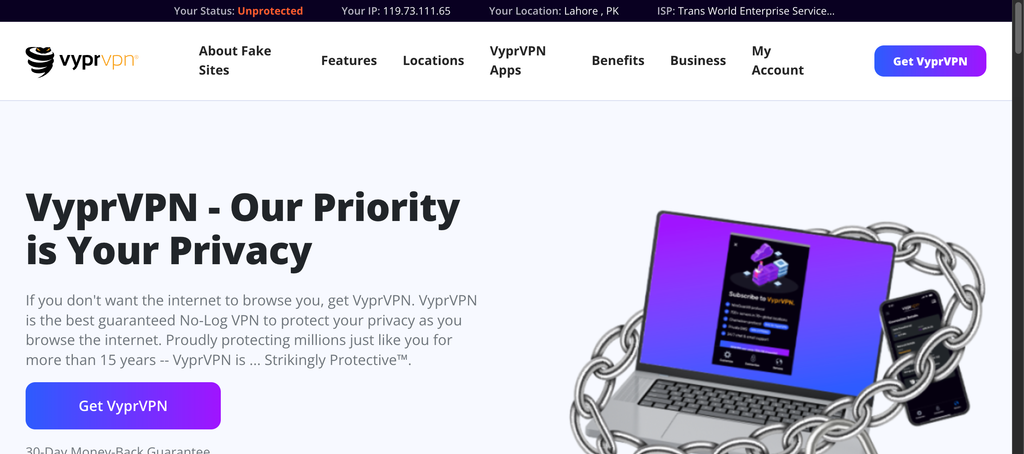
Best for: Users who need VPN traffic obfuscation on networks that attempt to identify or block VPN connections.
VyprVPN focuses on encrypted connections and tools designed to make VPN traffic harder to identify.
Its Chameleon protocol is intended to help users connect through networks that employ VPN detection or restrictions.
However, no obfuscation technology guarantees access on every restricted network, and local laws and network policies may affect VPN use.
VyprVPN also provides standard privacy features, including a kill switch and support for multiple devices.
Key Features
- Chameleon traffic-obfuscation technology.
- Encrypted VPN connections.
- Kill switch.
- DNS leak protection.
- Applications for common operating systems.
- Global server availability.
Pros
- Obfuscation features for restrictive networks.
- Straightforward applications.
- Privacy-focused connection options.
- Useful alternative to conventional VPN configurations.
Cons
- Smaller feature ecosystem than some major competitors.
- Obfuscation does not guarantee bypassing restrictions.
- Server availability and performance vary by location.
Pricing: Subscription options and promotional pricing vary. Check the provider’s current terms before purchasing.
Verdict: VyprVPN is worth considering when traffic obfuscation is an important requirement, although users should verify compatibility with their networks.
8. Mullvad VPN: Best for Privacy and Minimal Personal Information
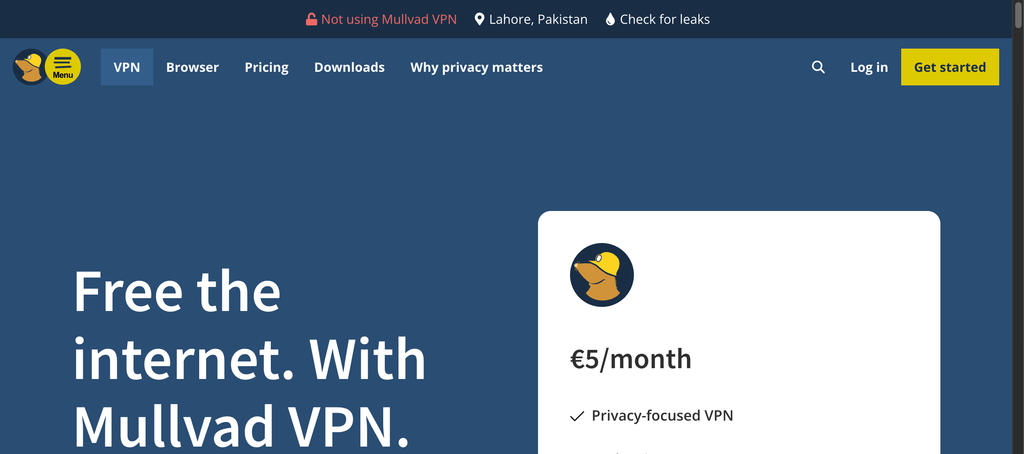
Best for: Privacy-conscious users who prefer minimal account information and straightforward pricing.
Mullvad VPN takes a different approach to account creation. Instead of requiring a conventional username and password, the service generates an account number.
This allows users to create an account without supplying an email address. Mullvad also accepts several payment methods, including cash, although the privacy implications depend on the method selected.
Its applications are open source, and the provider publishes information about its security practices and independent assessments.
Mullvad uses a simple flat-rate pricing model instead of introductory discounts tied to multiyear contracts.
Key Features
- Account creation without an email address.
- Open-source applications.
- WireGuard-based VPN connections.
- Kill switch and leak protection.
- Multiple payment methods, including cash.
- Flat monthly pricing.
Pros
- Minimal personal information required for account creation.
- Transparent and predictable pricing.
- Strong privacy-oriented design.
- No requirement to purchase a long-term plan.
Cons
- Smaller server network than some mainstream providers.
- Limited streaming-focused features.
- Five-device connection limit.
- No free plan.
Pricing: €5 per month, regardless of whether users purchase one month or a longer period.
Verdict: Mullvad is particularly suitable for users who value account privacy, transparent policies, and predictable costs over bundled entertainment and security features.
9. Windscribe: Best for Flexible Free and Paid VPN Plans

Best for: Occasional VPN users and customers who want flexible subscription options.
Windscribe offers free and paid VPN services with privacy tools such as R.O.B.E.R.T., which can block selected advertising, tracking, and malicious domains.
Its free plan provides a monthly data allowance and access to a limited selection of locations. Paid subscriptions expand server availability and remove the standard free-plan data restrictions.
Windscribe also provides configurable connection settings and options designed to help users connect through networks where VPN traffic may be restricted.
Key Features
- Free plan with a monthly data allowance.
- R.O.B.E.R.T. domain and content filtering.
- WireGuard and other VPN protocols.
- Configurable connection settings.
- Network restriction and obfuscation options.
- Flexible paid subscription choices.
Pros
- Useful free tier for occasional browsing.
- Customizable filtering tools.
- Flexible subscription options.
- Advanced settings for experienced users.
Cons
- Free plan has data and location restrictions.
- Performance depends on server selection.
- Some advanced features require configuration.
Pricing: Windscribe offers a free tier and paid plans, including flexible location-based options. Check current data allowances and minimum purchase requirements.
Verdict: Windscribe is a practical option for users who want to test a VPN without a large financial commitment or customize their paid service.
You may also like: Best Zero-Trust Security Vendors for Network Security
10. IPVanish: Best for Households with Multiple Devices
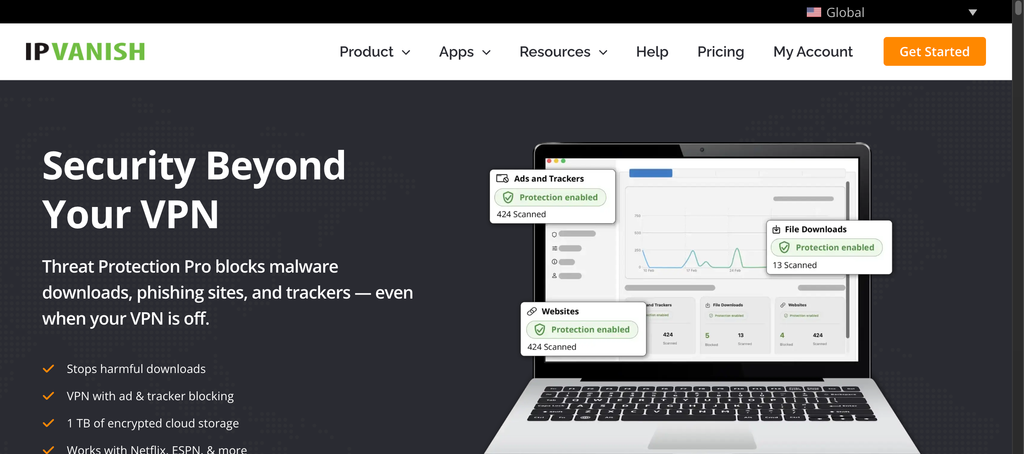
Best for: Users who want a conventional VPN service with broad device support and unlimited simultaneous connections.
IPVanish provides encrypted VPN connections across major desktop and mobile operating systems.
Its unlimited simultaneous connection policy makes it useful for households that regularly use multiple devices.
The service supports modern VPN protocols such as WireGuard and includes security features intended to reduce accidental exposure when VPN connections fail.
IPVanish also provides a range of server locations, allowing users to select connections based on geographic preference and network performance.
Key Features
- Unlimited simultaneous connections.
- WireGuard protocol support.
- Kill switch on supported platforms.
- DNS leak protection.
- Applications for multiple operating systems.
- Broad server availability.
Pros
- Suitable for households with many devices.
- Straightforward applications.
- Modern VPN protocol support.
- Multiple server location options.
Cons
- Fewer specialized privacy tools than some competitors.
- Performance varies by location.
- Subscription features and renewal pricing require comparison.
Pricing: IPVanish offers several subscription options, with features and prices varying by plan and billing period.
Verdict: IPVanish is worth considering for households seeking straightforward VPN protection across numerous devices.
How to Choose the Best VPN Service
A VPN should be selected based on privacy requirements, connection performance, supported devices, and subscription terms rather than promotional claims alone.
1. Check the No-Logs Policy and Independent Audits
A no-logs policy describes the information a VPN provider says it does not retain. However, not all providers define logging in the same way.
Look for independent assessments of the provider’s logging practices, security infrastructure, and applications. Also review what account, payment, diagnostic, and operational information the provider may still collect.
An independent audit increases transparency but does not guarantee that a service can never experience a security incident.
2. Compare VPN Protocols and Encryption
WireGuard and OpenVPN are widely used modern VPN protocols. Some providers also offer proprietary technologies such as NordLynx or Lightway.
The choice of protocol can influence connection speed, battery consumption, compatibility, and reliability.
Modern, well-implemented encryption matters more than exaggerated claims about the number of encryption layers.
3. Look for a Reliable Kill Switch
A kill switch is designed to block internet traffic when the VPN connection unexpectedly disconnects.
This is particularly useful for users who want to avoid exposing their regular IP address during a connection failure.
Check whether the kill switch is enabled by default and how it behaves on your operating system.
4. Evaluate Server Locations and Performance
A large server network provides more geographic options, but server count alone does not determine speed.
Distance, congestion, protocol choice, and the quality of the provider’s infrastructure all influence performance.
For everyday browsing and video calls, selecting a nearby server generally offers better latency than routing traffic through a distant country.
5. Compare Device Limits and Compatibility
Some VPN services restrict simultaneous connections, while Surfshark and IPVanish offer unlimited connections.
Check whether the provider supports Windows, macOS, Android, iOS, Linux, routers, and other devices you use.
Also confirm whether important features such as split tunneling or a kill switch are available on your specific platform.
6. Understand the Full Subscription Cost
VPN companies frequently advertise low monthly equivalents for long-term subscriptions.
However, these prices may require paying for one or two years upfront. Renewal rates can be considerably higher than introductory offers.
Compare the initial payment, renewal price, refund policy, and included features before subscribing.
Free VPN vs. Paid VPN: Which Should You Choose?
Free VPN services can be useful for occasional browsing, public Wi-Fi protection, and testing a provider before purchasing a subscription.
However, free plans often restrict server selection, data usage, connection speeds, or advanced security features.
Proton VPN is a notable exception to the usual data-cap model because its free plan includes unlimited data. Windscribe offers a useful free tier but applies a monthly data allowance.
Paid VPN subscriptions generally provide broader server access, more simultaneous connections, and additional features such as multi-hop routing, tracker blocking, or specialized servers.
A reputable free VPN may be preferable to an unfamiliar paid service with unclear logging policies.
Frequently Asked Questions
Mullvad and Proton VPN are particularly relevant for privacy-focused users. Mullvad allows account creation without an email address, while Proton VPN offers open-source applications and independently audited no-logs practices. NordVPN also provides independently reviewed privacy protections. No VPN guarantees complete anonymity.
No. A VPN can hide your public IP address from websites and encrypt traffic between your device and the VPN server. However, websites may still identify you through account logins, cookies, browser fingerprinting, and other tracking methods. Your VPN provider also becomes an important party you must trust.
A VPN can reduce connection speed because traffic is encrypted and routed through an additional server. The impact depends on server distance, congestion, VPN protocol, and your existing internet connection. Modern protocols such as WireGuard, NordLynx, and Lightway are designed to reduce performance overhead.
A reputable VPN can add protection to the connection, especially on public Wi-Fi. However, secure HTTPS connections, multifactor authentication, updated software, and fraud awareness remain essential. Some banking services may request additional verification when a VPN is used.
A VPN primarily encrypts network traffic and masks your public IP address from destination websites. Antivirus software detects and helps prevent malicious software infections. Some VPN subscriptions include malware-blocking features, but these do not necessarily replace comprehensive endpoint protection.
Keeping a VPN enabled can provide consistent protection, particularly on public or untrusted networks. However, certain websites, banking applications, and local network services may work differently when a VPN is active. Choose settings based on your privacy requirements and application compatibility.
VPNs are legal in many countries, but restrictions and enforcement vary by jurisdiction. Using a VPN does not make otherwise unlawful activity legal. Users should check local regulations and the terms of the networks and services they access.
Conclusion
The best VPN services in 2026/27 offer more than basic IP masking. Modern providers combine encrypted connections with independently assessed privacy practices, DNS leak protection, kill switches, and additional security features.
NordVPN stands out for its combination of performance and advanced tools, while ExpressVPN emphasizes simplicity and broad device compatibility. Surfshark and IPVanish are useful for households with numerous devices, and Proton VPN offers an accessible free plan with unlimited data.
For users who place greater importance on minimal account information and straightforward pricing, Mullvad provides a distinctive alternative. CyberGhost, PIA, VyprVPN, and Windscribe address more specific requirements such as streaming, customization, traffic obfuscation, and flexible subscriptions.
Before choosing a VPN, compare independent audits, supported protocols, renewal pricing, device compatibility, and the provider’s actual data-handling policies. A VPN is an important privacy tool, but it works best alongside secure browsing practices, strong passwords, and multifactor authentication.