Top 10 Malware Protection Software for Businesses 2026 Update
Photo by Ed Hardie on Unsplash
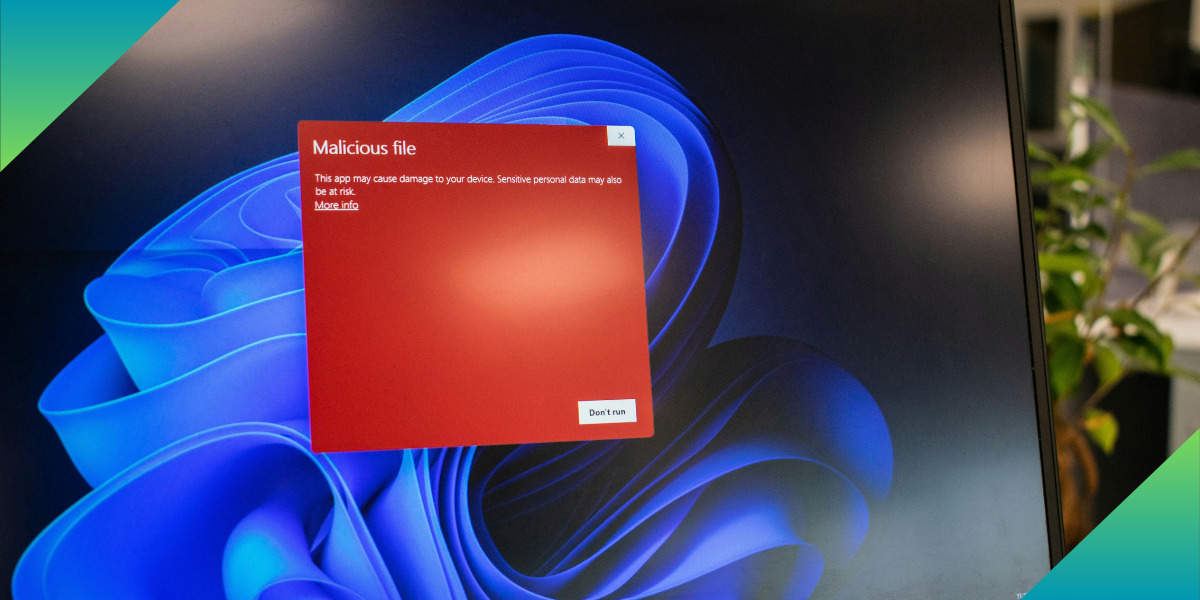
Malware can cause business disruption, expose sensitive data and provide access to company systems. Ransomware is especially dangerous as it can encrypt files and disrupt access to vital resources. A contaminated employee device can also be a gateway to a larger attack.
Today’s malware protection must go beyond the known virus scan. Today, business security platforms integrate malware detection, behavioral analysis, machine learning, ransomware protection, exploit prevention, and centralized endpoint management.
We evaluated 10 malware protection tools for their security capabilities, business management features, supported platforms, pricing, restrictions, and real-world scenarios.
What Does Malware Protection Software Do?
Malware protection software identifies, prevents, and eliminates malicious software from business computers, servers, and other devices. Traditional AV products used signatures to detect a threat. Modern tools use several detection methods to identify both known and previously unseen attacks.
Business malware protection can also feature ransomware protection, web filtering, exploit prevention, device control, vulnerability management, and endpoint detection and response (EDR).
Business products also include centralized management, enabling administrators to manage policies, review alerts, and monitor multiple devices from a single dashboard.
Quick Comparison of Malware Protection Software
| Tool | Pricing | Main Strength | Best suited to |
| Microsoft Defender for Business | $3/user/month annually | Microsoft 365 integration | Microsoft 365 businesses |
| ThreatDown | Price varies by devices | Endpoint protection and response | Small and growing businesses |
| ESET PROTECT | Price varies by plan | Multi-layered protection | Mixed environments |
| OpenText Core Endpoint Protection | Quote from vendor | Lightweight cloud protection | Small offices |
| Bitdefender GravityZone | Price varies by package | Layered endpoint security | Growing businesses |
| Acronis Cyber Protect | From $85/device/year | Security and backup | Backup-focused businesses |
| Sophos Endpoint | Quote from vendor | Ransomware and exploit protection | Security-focused businesses |
| Trend Micro Worry-Free | Quote from vendor | Endpoint and broader protection | Small and midsize businesses |
| SentinelOne Singularity | From $179.99/endpoint/year | Automated threat response | Advanced security teams |
| CrowdStrike Falcon Go | $59.99/device/year | Simple business protection | Small businesses |
Worth-it Malware Protection Software for Businesses
Here are the best antivirus and malware protection software for businesses:
Microsoft Defender for Business
Microsoft Defender for Business is designed for small and medium-sized businesses that need endpoint protection and centralized management. It is particularly convenient for organizations that are already using Microsoft 365. It’s available for up to 300 users across Windows, macOS, iOS and Android and for organisations.
- Malware and ransomware protection: Identifies and prevents malware and ransomware on supported devices.
- Endpoint detection and response: Helps administrators investigate suspicious activity and security incidents.
- Attack surface reduction: Minimizes the number of ways that attackers can compromise business devices.
- Vulnerability management: Identifies vulnerabilities that could pose a risk.
- Web and network protection: Helps block malicious connections and unsafe web content.
- Centralized management: Enables administrators to manage policies and view alerts on a single platform.
Pricing
Microsoft Defender for Business is $3 per user per month, paid annually. It is also included with Microsoft 365 Business Premium. Before buying, businesses can check the latest Microsoft Defender for Business pricing.
Limitations
The per-user model might not be as cost-effective if the employees are using multiple devices. There’s also a separate add-on for server protection.
Best-case scenario
A 30-person company that is already using Microsoft 365 can add endpoint protection without adding another big security ecosystem.
ThreatDown
Malwarebytes’ business security platform is called ThreatDown. It integrates next-generation antivirus with enhanced endpoint detection, ransomware recovery, and managed security services.
- Next-generation antivirus: Provides protection with the help of AI.
- Ransomware rollback: Advanced plans can roll back some of the changes made by ransomware.
- Device control: Helps control removable devices such as USB drives.
- Application blocking: Allows administrators to block malicious or unwanted applications.
- Vulnerability assessment: Identifies weaknesses throughout the environment.
- Endpoint detection and response: Higher plans offer more in-depth threat investigation and response.
- Managed detection and response: More expensive plans include human monitoring and response.
Pricing
ThreatDown offers subscription pricing for the number of protected devices and plan selected. There are four main packages: Core, Advanced, Elite, and Ultimate. To determine which features are available at each pricing tier, businesses can review the current ThreatDown pricing plans.
Limitations
Higher-tier plans are needed for some advanced response, rollback, and managed monitoring features. Other workloads or servers can also be protected, which can impact cost.
Best-case scenario
A small IT team in a growing company can opt for the basic endpoint protection plan and upgrade to EDR or managed security services as they require.
ESET PROTECT
ESET PROTECT is a centralized security solution for businesses with various operating systems and device types. It offers endpoint security, mobile protection, advanced threat defense, encryption and other security services.
- Ransomware protection: Uses multiple detection layers to identify and block ransomware.
- Zero-day protection: Provides protection against threats that do not have a signature.
- Behavioral detection: Watching for suspicious behavior to detect potentially malicious activity.
- Cloud sandboxing: Suspicious files can be analyzed in an isolated environment.
- Full disk encryption: Helps protect data stored on devices.
- Vulnerability and patch management: Helps identify and address software weaknesses.
- Centralized management: Provides one console for supported security products.
Pricing
The subscription pricing is determined by the package, the number of devices, the region, and the term. It has several levels in its PROTECT range, and companies should check the existing ESET PROTECT business plans before choosing a package.
Limitations
Advanced features are available in various plans. Some EDR and threat defense capabilities may require a higher tier or extra licensing for businesses.
Best-case scenario
A company that has Windows, Mac, Linux, and Android devices can manage security across the environment rather than having to maintain separate products.
OpenText Core Endpoint Protection
OpenText Core Endpoint Protection is a lightweight cloud-based endpoint security solution, formerly known as Webroot. It is meant to be used for continuous protection and minimal impact on device performance.
- Real-time machine learning: Uses machine learning and threat intelligence to identify suspicious activity.
- Malware and ransomware protection: Blocks malware, ransomware, phishing, and other advanced threats.
- Lightweight endpoint agent: Designed to have minimal impact on performance.
- Cloud-based management: Lets administrators manage endpoints remotely.
- Threat intelligence: Uses updated intelligence to improve detection.
- RMM integration: Works with remote monitoring and management tools.
- Centralized policies: Enforces the same settings on all devices.
Pricing
OpenText does not have a single public price for Core Endpoint Protection. To get a price quote or learn more about the product, please check out the Core Endpoint Protection page.
Limitations
Direct cost comparisons are more difficult because there is no simple public pricing. For other security needs, businesses might require additional tools.
Best-case scenario
A small company with remote workers can deploy endpoint protection without having to maintain a security server in the office, using a cloud console.r in the office.
Bitdefender GravityZone
Bitdefender GravityZone is an endpoint security solution for small, midsize, and larger organizations. It offers everything from basic malware protection to sophisticated detection and response. Bitdefender’s 2026 licensing changes also include counting workstations and servers as endpoints for supported new licenses and renewals.
- Multi-layered malware protection: It is a combination of machine learning, behavioral analysis, and other detection techniques.
- Ransomware protection: Identifies unusual encryption activity and helps to reverse or prevent some changes.
- Network attack defense: Assists in preventing network techniques employed in attacks.
- Web protection: Prevents access to malicious websites, files, scripts and phishing attempts.
- Anti-exploit protection: Protection against attacks that exploit software vulnerabilities.
- Risk management: Detects vulnerabilities and insecure settings.
- Centralized management: Provides one console for endpoint security.
- EDR capabilities: The more expensive packages offer more in-depth detection and investigation.
Pricing
GravityZone is sold on a subscription basis, dependent on the package, endpoint count and subscription period. Businesses can check out the existing GravityZone business security packages and contrast the choices available.
Limitations
Licensing can be tricky to compare because of the variety of packages and options available. Some advanced EDR capabilities may also necessitate more expensive products.
Best-case scenario
A company can begin with the basic endpoint protection and upgrade to a more sophisticated GravityZone package as the company grows.
You may be interested in: Top 10 Access and Identity Management Software
Acronis Cyber Protect
Acronis Cyber Protect is a single solution for endpoint security, backup and recovery. This is unlike antivirus programs that are primarily designed to block malware.
- Malware and ransomware protection: Multiple layers of protection against malicious activity.
- Secure backup: Makes copies of critical business information that are protected.
- Ransomware recovery: Assists in recovering impacted files and systems.
- URL filtering: Helps prevent access to dangerous websites.
- Exploit prevention: Protects against attacks that take advantage of software vulnerabilities.
- Patch management: Supports the maintenance of systems.
- Continuous data protection: Provides protection choices for important data.
- Workload protection: Protects computers, servers, virtual machines, and supported cloud workloads.
Pricing
The Standard edition of Acronis Cyber Protect begins at $85 per device per year. Additional storage and advanced editions can add to the price. Businesses can view the latest Acronis Cyber Protect pricing before buying.
Limitations
Companies that require endpoint antivirus only might be paying for backup and recovery capabilities that they do not need. The cost can also increase due to storage needs.
Best-case scenario
If ransomware corrupts sensitive customer data, a business can rely on Acronis to safeguard its endpoints and ensure that the data can be recovered.
Sophos Endpoint
Sophos Endpoint is dedicated to preventing malware, ransomware and exploit-based attacks. It combines machine learning, behavioral detection, exploit mitigation, and ransomware protection.
- Deep learning malware detection: Applies machine learning to detect known and new malware.
- CryptoGuard: Identifies ransomware activity and prevents files from being encrypted without permission.
- Exploit prevention: Uses multiple protections against common attack techniques.
- Behavioral analysis: Analyzes application behavior to detect suspicious activity.
- Tamper protection: Helps prevent attackers from disabling endpoint security.
- Web protection: Denies access to malicious and suspicious websites.
- Endpoint detection and response: Provides more in-depth analysis of endpoint activity.
- Managed detection and response: Provides expert monitoring for businesses that require it.
Pricing
Sophos offers quote-based pricing for Endpoint. The price varies based on the number of users or devices and the services chosen. Contact Sophos Endpoint for more details.
Limitations
It is more difficult to compare prices when they are quoted. The overall cost can also be raised by the inclusion of advanced EDR and managed services.
Best-case scenario
Sophos can help a company that is most worried about ransomware and exploit-based attacks to integrate prevention, ransomware protection, and endpoint investigation.
Trend Micro Worry-Free Services
Trend Micro Worry-Free Services is for small and midsize businesses that require endpoint security that can be managed from a central location. It can also grow to email security and XDR.
- Ransomware protection: Multiple protection layers, machine learning.
- Endpoint security: Secures supported Windows, Mac, iOS, and Android devices.
- Web protection: Fights harmful websites and online material.
- Device and application control: Assists in controlling the devices and applications that can be used.
- Vulnerability protection: Defends against attacks that take advantage of software vulnerabilities.
- Email security: Higher packages include phishing, ransomware, and business email compromise protection.
- XDR: Correlates security events across endpoints and email.
- Cloud management: Provides centralized administration.
Pricing
Trend Micro offers several Worry-Free packages, with pricing based on the selected package and number of devices. You can check out the existing Worry-Free Services pricing options when requesting a quote.
Limitations
Licensing may be more difficult to compare when different packages and add-on services are available. It is important for businesses to review the endpoint, email, and XDR capabilities that are covered in the plan they choose.
Best-case scenario
A business that has employee computers, mobile devices, and cloud email can begin with endpoint protection and then add email or XDR security.
SentinelOne Singularity
SentinelOne Singularity is designed for organizations that need advanced endpoint security and automated response. It employs AI-powered technologies and behavioral analysis to detect suspicious activity.
- AI-powered endpoint protection: Leverages AI and behavioral analysis to detect malicious activity.
- Real-time detection and response: Offers real-time endpoint monitoring and response.
- Ransomware protection: Identifies ransomware activity and prevents attacks.
- Cloud workload protection: Extends protection to supported cloud workloads.
- AI Security Assistant: Supports security teams in comprehending and analyzing security events.
- Identity detection and response: Available with Singularity Commercial.
- Managed threat hunting: Commercial adds proactive threat hunting.
- Extended data retention: Higher plans provide more historical information
Pricing
SentinelOne offers Singularity Complete for $179.99 per endpoint per year and Singularity Commercial for $229.99 per endpoint per year. Enterprise pricing is customized. You can compare the Singularity pricing and packages before buying.
Limitations
SentinelOne is more costly than simple business antivirus software. Its advanced investigation, threat hunting, and identity features might not be necessary for smaller businesses.
Best-case scenario
If a business has a dedicated IT or security team, they can automate threat response and provide their employees with more information to investigate incidents.
CrowdStrike Falcon Go
CrowdStrike Falcon Go is an endpoint protection solution that provides small businesses with business-grade endpoint protection in a more simplified deployment model. It can be used for up to 100 devices.
- Next generation anti-virus: Defends against malware, ransomware and advanced threats.
- Behavioral detection: Uses AI, machine learning, and behavioral analysis.
- Device control: Gives visibility and control of removable devices.
- Mobile protection: Provides protection for Android and iOS devices.
- Firewall management: Supports businesses to manage endpoint firewall settings.
- Cloud-based management: Provides centralized security management.
- Express support: Assists in installation and operation.
- Easy deployment: Does not require system reboots.
Pricing
CrowdStrike Falcon Go costs $7.99 per device per month or $59.99 per device per year. The number of purchases is limited to 100 devices. Before buying, please check out the Falcon Go pricing and subscription information.
Limitations
Falcon Go is not suitable for larger organizations due to the 100 device limit. For businesses that require identity protection or enterprise-wide capabilities, a higher CrowdStrike package will be required.
Best-case scenario
A company with 40 employees and fewer than 100 devices can roll out Falcon Go to its computers and supported mobile devices and maintain centralized security management.eping security management centralized.
Which Tool Fits Different Business Needs?
The right choice depends on the company’s existing technology, device count, IT resources, and security requirements.
- Microsoft 365 businesses: Microsoft Defender for Business offers the strongest integration with Microsoft’s business environment.
- Small businesses: CrowdStrike Falcon Go and ThreatDown provide accessible options for centralized endpoint protection.
- Ransomware-focused security: Sophos, Bitdefender, ThreatDown, and Acronis offer dedicated ransomware defenses.
- Mixed environments: ESET PROTECT and Bitdefender GravityZone support a broad range of operating systems and workloads.
- Security and backup: Acronis is the strongest fit when backup and recovery are part of the security requirement.
- Advanced threat response: SentinelOne is better suited to organizations with dedicated security teams.
- Endpoint and email protection: Trend Micro is useful when a business wants to extend security into email and XDR.
Frequently Asked Questions (FAQs)
CrowdStrike Falcon Go, ThreatDown, and Microsoft Defender for Business are strong options because they combine endpoint protection with centralized management.
Microsoft Defender for Business is a practical choice because it integrates with Microsoft’s business environment and is included with Microsoft 365 Business Premium.
No. Businesses should also use reliable backups, software updates, access controls, employee training, and security monitoring.
Some advanced malware attempts to disable or interfere with security software before carrying out an attack. Tamper protection and behavioral monitoring can help defend against these techniques.
Intrusion protection helps detect and block suspicious activity associated with attempted attacks. It adds another layer beyond file scanning.
Free antivirus can provide basic protection, but businesses usually need centralized management, reporting, policy controls, and commercial support.
Conclusion
Choosing the right malware protection software depends on your business size, number of devices, security needs, and available budget. A good solution should provide reliable malware and ransomware protection while making it easy to manage devices, monitor threats, and respond to incidents.
Businesses should also consider whether they need advanced features such as endpoint detection, vulnerability management, backup, or managed security services. Instead of choosing a product based only on its feature count or price, look for a solution that fits your existing environment and provides the level of protection your business actually requires.